Use Linux
Navigate the shell, work with files, use SSH, understand permissions, and read what the system tells you.
>_ Build. Break. Repeat.
student@laptop:~$ learn --by-doing
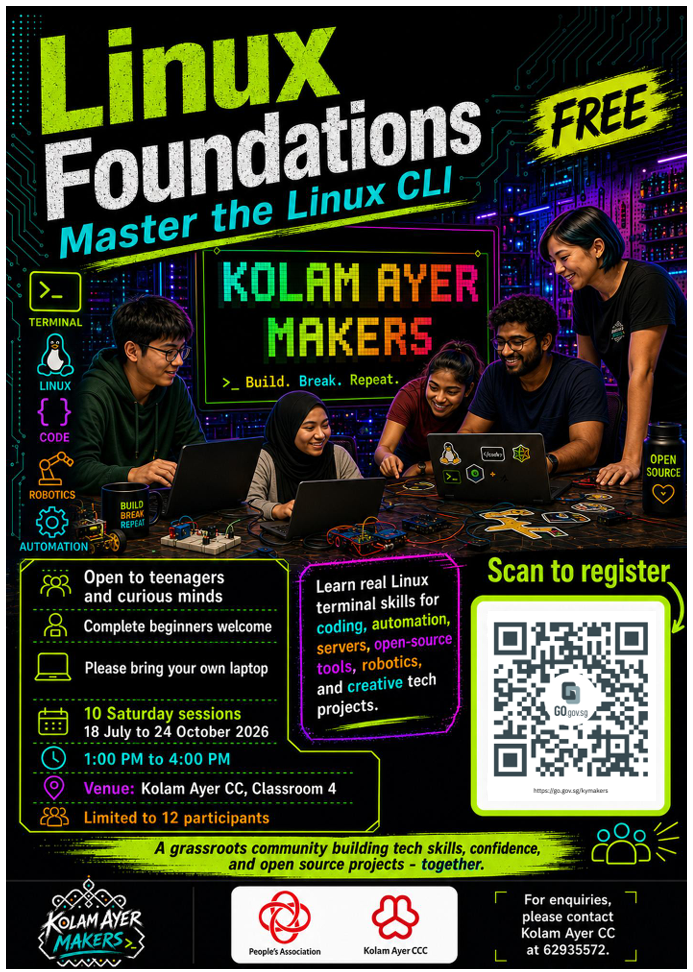
Linux Foundations is a practical course in using a computer as a tool you can understand, direct, and repair. Build real things on Linux, with people in the room and an AI guide between sessions.
Understand the system.
Make useful things.
Keep learning.
01 / no gatekeeping
This is for complete beginners, students, developers, engineers, returning tinkerers, and curious people. You do not need prior Linux experience. You need curiosity and a willingness to try.
Different people arrive for different reasons: to understand their computer better, work confidently in a development environment, return to an old interest, or build the next strange project. The foundations are the same.
02 / learn the machine
Navigate the shell, work with files, use SSH, understand permissions, and read what the system tells you.
Keep your work in Git, write shell scripts, and publish a personal website from source you own.
Trace network and HTTP problems, inspect logs, run a user service, automate routine work, and recover from mistakes.
Linux is a foundation for programming, web development, self-hosting, engineering work, creative projects, automation, and ideas nobody has thought of yet. The aim is not to memorise commands. It is to become someone who can keep learning.
03 / live, practical, supported
The course combines hands-on sessions with self-study guides, recaps, and optional reinforcement quests. Bring a laptop, type commands, make safe mistakes, ask questions, and fix problems with other people.
Each released session gives you focused work. Catch up on unfinished work, go deeper when you are ready, and use the supporting material between sessions. The next lesson is still a shared part of the journey, not something you rush through alone.
04 / help when you need it
guide is an AI tutor available in your terminal and through IRC direct
messages. It knows the session you have reached, the commands you have learned, your
current objective, and the course documentation that applies.
It starts with useful questions and nudges, points you to the right material, and helps you choose what to try next. You can get unstuck without waiting for the next session, while still doing the thinking and building yourself.
05 / make it real
You will build a live personal site, its source repository, reusable scripts, documentation, and a service you can explain, inspect, and recover.
Progress comes from evidence: commands you ran, files you made, services you operated, and explanations you can give. The AI helps you learn. The course checks the work.
06 / copy, improve, repeat
Kolam Ayer Makers began at Kolam Ayer Community Club, but it should not stay there. Want to run a free maker class in your own community? We need volunteers, mentors, and fellow makers to help clone the work.
Get involved